First Coverage Data
Canyon provides installation guides for common frameworks to help you get started quickly.
Follow these steps to complete your first coverage data report:
Starting as a New Project
Installation
Babel is essential in frontend engineering and modular development. For Babel projects, you can get started quickly by installing just two Babel plugins.
npm install babel-plugin-istanbul babel-plugin-canyon -DAdd the istanbul and canyon plugins to your Babel configuration file :
module.exports = {
  plugins: [
    'istanbul',
    'canyon'
    // Note the plugin order: canyon plugin should be after istanbul plugin
    ],
};
Verification
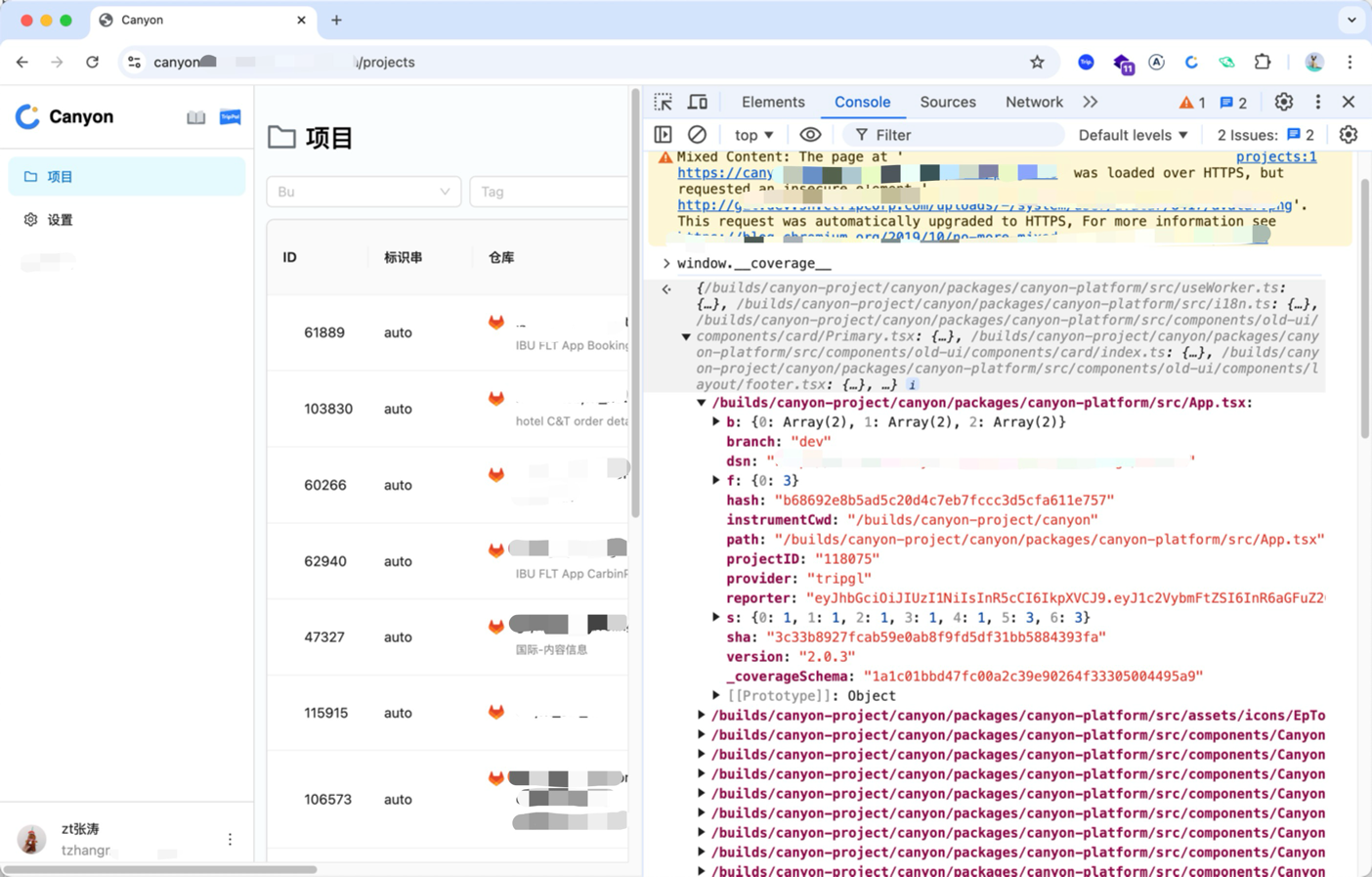
After configuration, start your project and print window.__coverage__ in the console. If the output matches the image below, code instrumentation was successful.
Configure CI Environment Variables
In CI environments, we need to configure some environment variables to report coverage data.
Canyon detects pipeline variables at compile time, and we support multiple pipeline providers.
Don’t see your pipeline provider? Try explicit configuration.
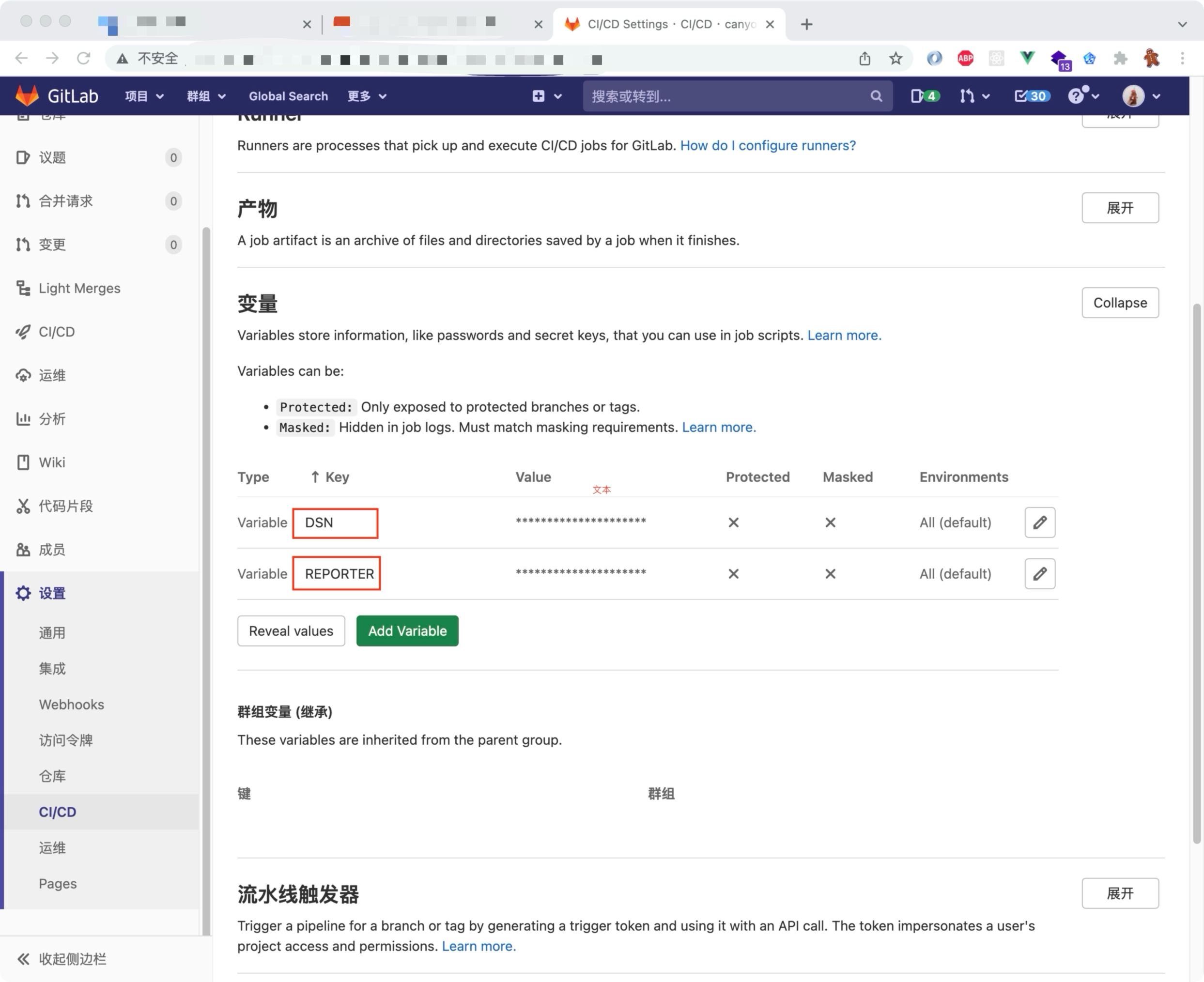
DSNandREPORTER
- DSN: Service address for coverage data reporting, {{url}}/coverage/client, where {{url}} is the Canyon service address.
- REPORTER: User token, which can be viewed on the Canyon user settings page.
- Configure CI Platform Variables
Project ID, branch, and SHA do not need to be manually configured; the Canyon plugin will automatically detect pipeline environment variables.
Update Babel Plugin Activation Conditions
In the CI phase, we need to control plugin activation conditions to prevent instrumentation in production branches.
module.exports = {
  plugins: (process.env.CI &&
            process.env.CI_COMMIT_REF_NAME !== 'release')
            ? [
              'istanbul',
              'canyon'
            ]:[],
};
Report Coverage Data
Wait for CI to complete, then deploy the page to the test environment.
At this point, coverage data is stored in the browser. As users interact or UI automation tests execute, window.coverage_ data will continue to accumulate.
Reporting this data accurately to the Canyon server enables real-time display of coverage data.
Here are several ways to report coverage data: